Adopt and Raise a Baby Avatar Editor and Gear Store
Readable roles, layered looks, smart spending, and comedy props without grief.
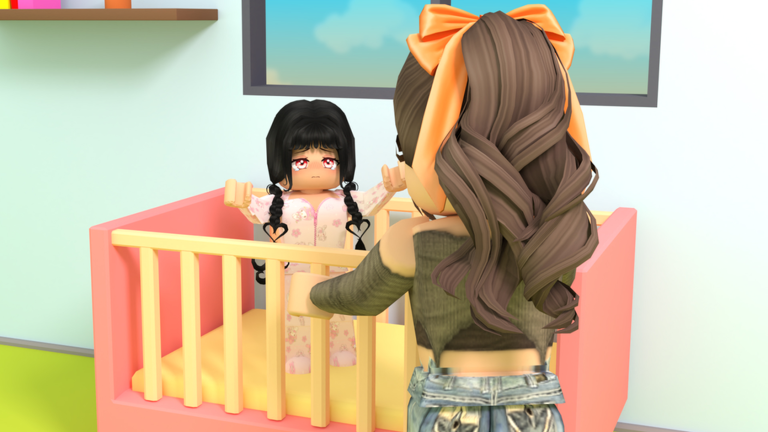
Looks and props are part of the roleplay loop
Adopt and Raise (place 1245865042, universe 506112045, Adopt and Raise Fans) is free-to-play family roleplay on servers up to 50 players, with 545M+ visits and about 1.87M favorites. The live title is Adopt and Raise; SEO also uses Adopt and Raise a Baby. The current place launched December 14, 2017, after Tremity’s 2014 Adopt and Raise a Cute Kid line and later Baby branding. Official features highlight a modern Avatar Editor and a gear store full of fun items—this guide explains how to use both without confusing the game with Adopt Me! or Raise The Biggest Family.
If you are still onboarding, start with Getting Started. Role definitions live on Players. Hangout manners sit in Roleplay Tips.
Why the Avatar Editor comes first
Many sessions open the Avatar Editor before you ever touch a house shop. Treat that prompt as stage lighting, not optional fluff. In a crowded 50-player neighborhood, strangers decide in seconds whether you look like a Parent host, a Teen helper, a Baby in the care loop, or a Pet-role player. A mismatched silhouette forces awkward chat (“wait are you the dad or the dog?”) and slows adoption invites.
Readable role checklist:
- Parent — adult proportions, calm colors, easy-to-spot hair or outerwear so carpool leaders find you at the beach.
- Teen — youthful but not crib-coded; good for babysitting and gear-store comedy without stealing Parent authority.
- Baby — clearly small/cute coding so care scenes read; avoid towering avatars that break immersion.
- Pet (player role) — animal ears, tails, or fantasy cues via editor layers—this is not the same as owning collectible NPC pets (Pets Guide).
Say the role in chat after you save the look. Re-open the editor when you switch roles mid-session.
Layered clothing and silhouette tips
Official messaging calls out layered clothing in the Avatar Editor. Practical habits:
- Build a base silhouette that matches today’s role before stacking accessories.
- Add one statement layer (jacket, skirt, patterned top) so screenshots stay readable on mobile.
- Keep face and nameplate clear—huge hats that hide emotes hurt Baby care timing.
- Test colors against house interiors and bright sand; neon-on-neon vanishes in photo RP.
- Save a “town errand” look and a “beach outing” look if you swap often (Beach and Speedboat).
Fashion hangouts work best when everyone agrees on a theme (pastel family night, formal house tour, silly Pet parade) before shopping.
Robux spending vs free looks
Adopt and Raise progression is play and purchase, not a Robux treadmill. Free catalog pieces and in-experience options can carry a full Parent or Teen storyline. Spend Robux only when:
- You already own a starter house and understand the map (Houses and Cars).
- The paid piece improves role readability or a planned photoshoot—not impulse FOMO.
- You are comfortable that no active promo codes exist as of late 2026 (Codes)—cosmetics will not arrive from a redeem string.
Skip “limited drip” pressure from random Discord ads. Badge goals (Joined, Bought a House, Adopted a Baby) do not require a paid wardrobe—see Badges and Milestones.
Gear store: comedy props vs grief tools
The gear store stocks fun items that spark house-tour jokes, Teen bits, and beach gags. Used well, gear is seasoning. Used poorly, it is a ban-bait grief kit.
Healthy gear use:
- Agree “bits only, no grief” before buying.
- Keep loud props away from nap and adoption care scenes (How to Adopt).
- Pack light for beach convoys; one comedy item beats a walking arsenal.
- Put gear away when entering someone else’s plot unless invited.
Unhealthy gear use:
- Shoving players off porches “as a character.”
- Blocking doors, cribs, or car seats with props.
- Forcing splash or scare bits after someone said no.
- Pairing gear spam with script ads (Scripts).
If a prop ruins a scene, pause in chat, holster items, and reset to walking conversation. Tier curiosity about which toys are worth cash belongs beside house/pet rankings on Houses & Pets Tier—judge gear by session utility, not rarity flex alone.
Etiquette inside other players’ plots
Avatar drip and gear energy change when you cross someone else’s doorway:
- Knock or ask before flooding a luxury foyer.
- Holster comedy tools until the host invites a bit.
- Do not rearrange furniture “to improve the shot” without permission.
- Match volume to the room: nursery quiet, living-room hangout louder, beach public louder still.
- If you are only there to show a new outfit, say so—“fashion drop, two minutes”—then leave gracefully.
Parents hosting should post one soft rule in chat. Teens can translate rules for newcomers. Babies and Pet-role players should avoid climbing shelves with gear drawn. Broader manners live in Roleplay Tips.
Fashion hangouts that actually work
Try these low-pressure formats:
Porch runway
Host stands on the steps; guests walk up one at a time, state role + outfit story, then regroup indoors. Great after Avatar Editor resets.
Gear-store comedy run
Carpool to the shop, buy one PG gag each, return home for a timed bit, then holster everything. Pair with polite driving tips from Houses and Cars.
Beach lookbook
Meet at the summer shore for photos, then a short speedboat loop if energy stays kind (Beach and Speedboat).
Pet dual showcase
Separate human Pet role outfits from NPC pet inventory flex so chat stays clear (Pets Guide, Players).
Session workflow (Avatar → gear → story)
- Open Avatar Editor; lock a role-readable look.
- Join or create a family; state the role in chat.
- Buy a starter house if you still need Bought a House.
- Optional: one gear comedy purchase with consent rules.
- Run a house tour, town errand, or beach outing.
- Return gear to inventory before bedtime/adoption care.
- Skim Updates after the ~2026-10-02 style patch window if shops look different.
- Bookmark Controls & Tips for input quirks and Guides Hub for the next walkthrough.
Official place and Fans group links sit on /wiki/.
Common mistakes
- Skipping the editor, then wondering why nobody invites you to parent.
- Spending Robux on drip before owning a door.
- Bringing grief gear into a consent-free Baby scene.
- Mixing Pet-role fashion with trade spam mid-care loop.
- Trusting “free limited avatar” script thumbnails.
Sibling guides and hubs
- Guides Hub — index of walkthroughs
- Getting Started — first-hour checklist
- How to Adopt — care after the fashion bit
- Houses and Cars — plots and travel
- Pets Guide — collectible companions
- Roleplay Tips — etiquette
- Beach and Speedboat — shore photo RP
- Players — role framing
- Controls & Tips — UI and inputs
- Badges and Milestones — progress without drip pressure
- Codes — redeem status (dry late 2026)
- Updates — shop and editor changes
- Scripts — why not to cheat cosmetics
- Houses & Pets Tier — value rankings
- Official Links — real Roblox destinations
Dress for the role you claimed, spend only when it serves the scene, keep gear funny instead of cruel, and treat other plots like living rooms—not free-fire lobbies. That is how the Avatar Editor and gear store support Adopt and Raise families for the long run.
Frequently Asked Questions
Quick answers to the most common questions.
Why should I use the Avatar Editor before playing?
A clear Parent, Teen, Baby, or Pet silhouette helps strangers invite you correctly. Save the look, say your role in chat, and re-edit when you switch roles.
Do I need Robux for a good outfit?
No. Free and in-experience options can carry roleplay. Spend Robux only after you understand houses and roles, and only when a piece improves readability or a planned photoshoot.
How do I use the gear store without griefing?
Agree PG comedy rules first, holster items in nurseries and foreign plots, and never shove or door-block. Comedy dies when props become weapons.
Is a Pet avatar the same as owning a pet?
No. Avatar Pet looks are human roleplay. Collectible NPC pets are inventory companions—see the Pets Guide and Players hub for the split.
Can codes unlock Avatar Editor or gear items right now?
As of late 2026 there are no active promo codes. Use normal shops and play; ignore script ads promising free limiteds.